Ready-made templates
Start from a suggested template and fine-tune it, instead of designing your booking page from a blank screen.
Your logo and brand colors
Upload your logo and set primary, background, border, and font colors, so the booking page looks like part of your website.
Fonts, corners, and shadows
Pick separate heading and body fonts, then set corner rounding and card shadow, and check the result in a live preview.
Sell by room type
The default mode: guests choose a room type and Areca assigns a free room or dorm bed for them.
Or sell specific rooms and beds
Switch modes and guests pick the exact room they want. In dorms they can also choose their specific bed.
Dorm beds priced per bed
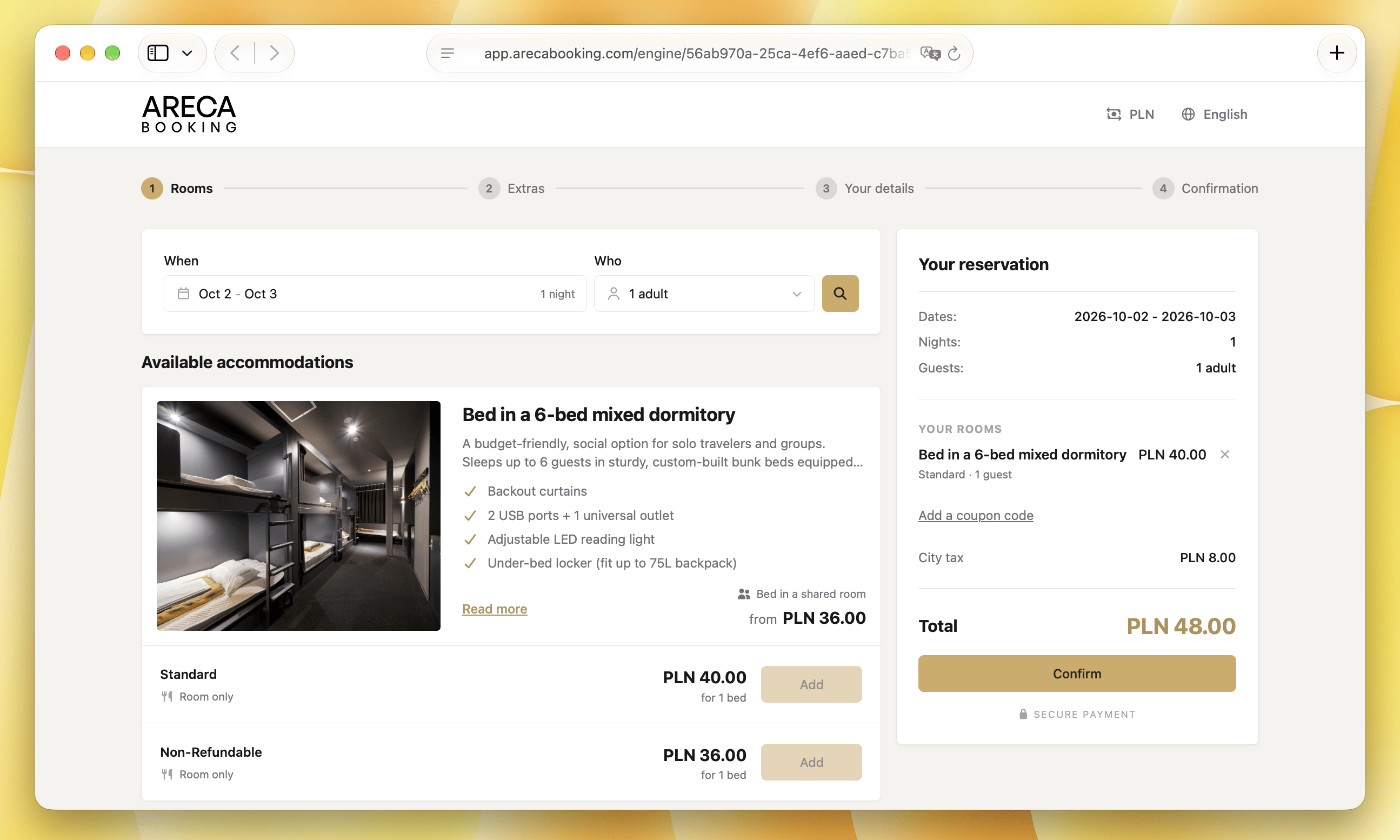
Shared rooms are sold as single beds with a per-bed price, right next to your private rooms in the same search results.
You decide what is bookable online
Choose which rooms, room types, and rate plans guests can see and book, and keep the rest for the front desk.
Photos, names, and descriptions
Add photos and give rooms, rate plans, and extras guest-friendly names and descriptions, separate from the internal ones your team uses.
Stay rules shown upfront
Minimum, maximum, and exact stay lengths are shown on each rate plan, so guests know the rules before they pick dates.
Extras & upsells
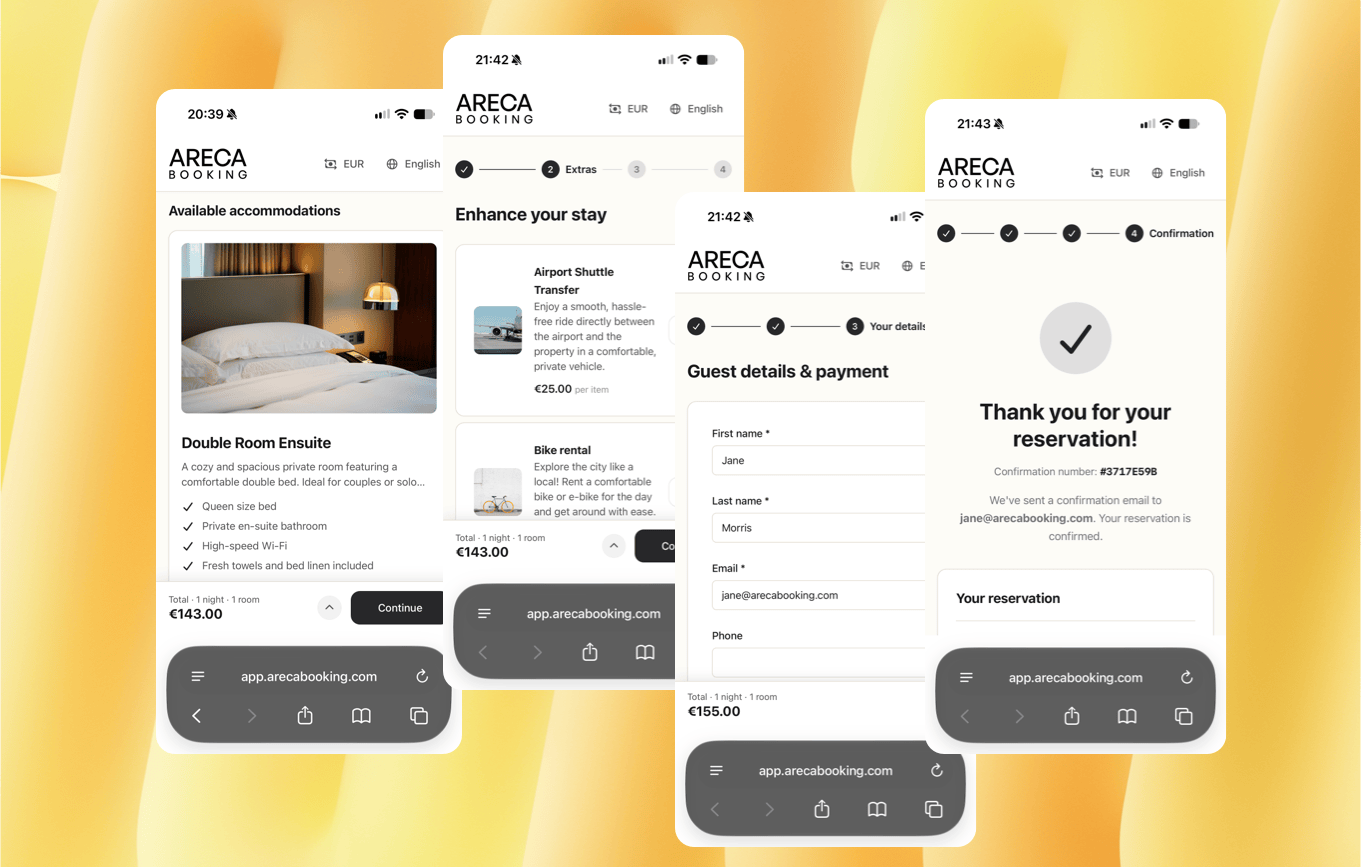
Offer breakfast, airport transfers, late checkout, and tours during the booking flow to boost revenue.
Coupon codes
Create percentage or fixed-amount codes and limit them by booking dates, stay dates, minimum nights, number of uses, or rate plan.
Your terms, accepted before booking
Add your house rules or cancellation terms and guests have to accept them before they can confirm a booking.
Custom texts & translations
Edit every label and message. Add your own translations for a fully localized guest experience.
Taxes shown before booking
City tax and accommodation tax are calculated for the whole cart and listed in the summary, so the total is no surprise at check-in.
Book now, pay on arrival
Guests reserve without entering a card and pay at your property. Online payments with Stripe and PayU are coming soon.
Website widget
Paste one snippet into your site as a horizontal bar or vertical panel, in a light, dark, or on-photo style. Guests land on the rooms available for their dates.
Direct link for social and email
No website? Share one link in your Instagram bio, Google profile, or emails and take bookings straight away.
Links that open a ready offer
Add dates, number of guests, or a coupon code to a link, and send guests straight to the stay you are promoting.
Ready-made templates
Start from a suggested template and fine-tune it, instead of designing your booking page from a blank screen.
Your logo and brand colors
Upload your logo and set primary, background, border, and font colors, so the booking page looks like part of your website.
Fonts, corners, and shadows
Pick separate heading and body fonts, then set corner rounding and card shadow, and check the result in a live preview.
Sell by room type
The default mode: guests choose a room type and Areca assigns a free room or dorm bed for them.
Or sell specific rooms and beds
Switch modes and guests pick the exact room they want. In dorms they can also choose their specific bed.
Dorm beds priced per bed
Shared rooms are sold as single beds with a per-bed price, right next to your private rooms in the same search results.
You decide what is bookable online
Choose which rooms, room types, and rate plans guests can see and book, and keep the rest for the front desk.
Photos, names, and descriptions
Add photos and give rooms, rate plans, and extras guest-friendly names and descriptions, separate from the internal ones your team uses.
Stay rules shown upfront
Minimum, maximum, and exact stay lengths are shown on each rate plan, so guests know the rules before they pick dates.
Extras & upsells
Offer breakfast, airport transfers, late checkout, and tours during the booking flow to boost revenue.
Coupon codes
Create percentage or fixed-amount codes and limit them by booking dates, stay dates, minimum nights, number of uses, or rate plan.
Your terms, accepted before booking
Add your house rules or cancellation terms and guests have to accept them before they can confirm a booking.
Custom texts & translations
Edit every label and message. Add your own translations for a fully localized guest experience.
Taxes shown before booking
City tax and accommodation tax are calculated for the whole cart and listed in the summary, so the total is no surprise at check-in.
Book now, pay on arrival
Guests reserve without entering a card and pay at your property. Online payments with Stripe and PayU are coming soon.
Website widget
Paste one snippet into your site as a horizontal bar or vertical panel, in a light, dark, or on-photo style. Guests land on the rooms available for their dates.
Direct link for social and email
No website? Share one link in your Instagram bio, Google profile, or emails and take bookings straight away.
Links that open a ready offer
Add dates, number of guests, or a coupon code to a link, and send guests straight to the stay you are promoting.