Room type vs. Individual rooms: Hotel Booking Engine display guide
Two hotels, same booking engine feature, opposite decisions. A 60-room city hotel keeps its direct site simple, three room categories, book in under a minute. A 12-room converted mill switches on individual room display and lets guests pick the room with the clawfoot bathtub by name. Both are right, because the feature works differently depending on what's actually in the building.
Areca's booking engine can show rooms two ways, and this post walks through both, when each one earns its keep, and a full worked example so the difference is easy to picture on your own property.
The setting, in plain terms
Inside your PMS and channel manager, inventory is always organized by room type. That's the standard, and it's not something this post changes. It's also what syncs to Booking.com, Expedia, and every other OTA behind the scenes, since that's the only structure those platforms understand.
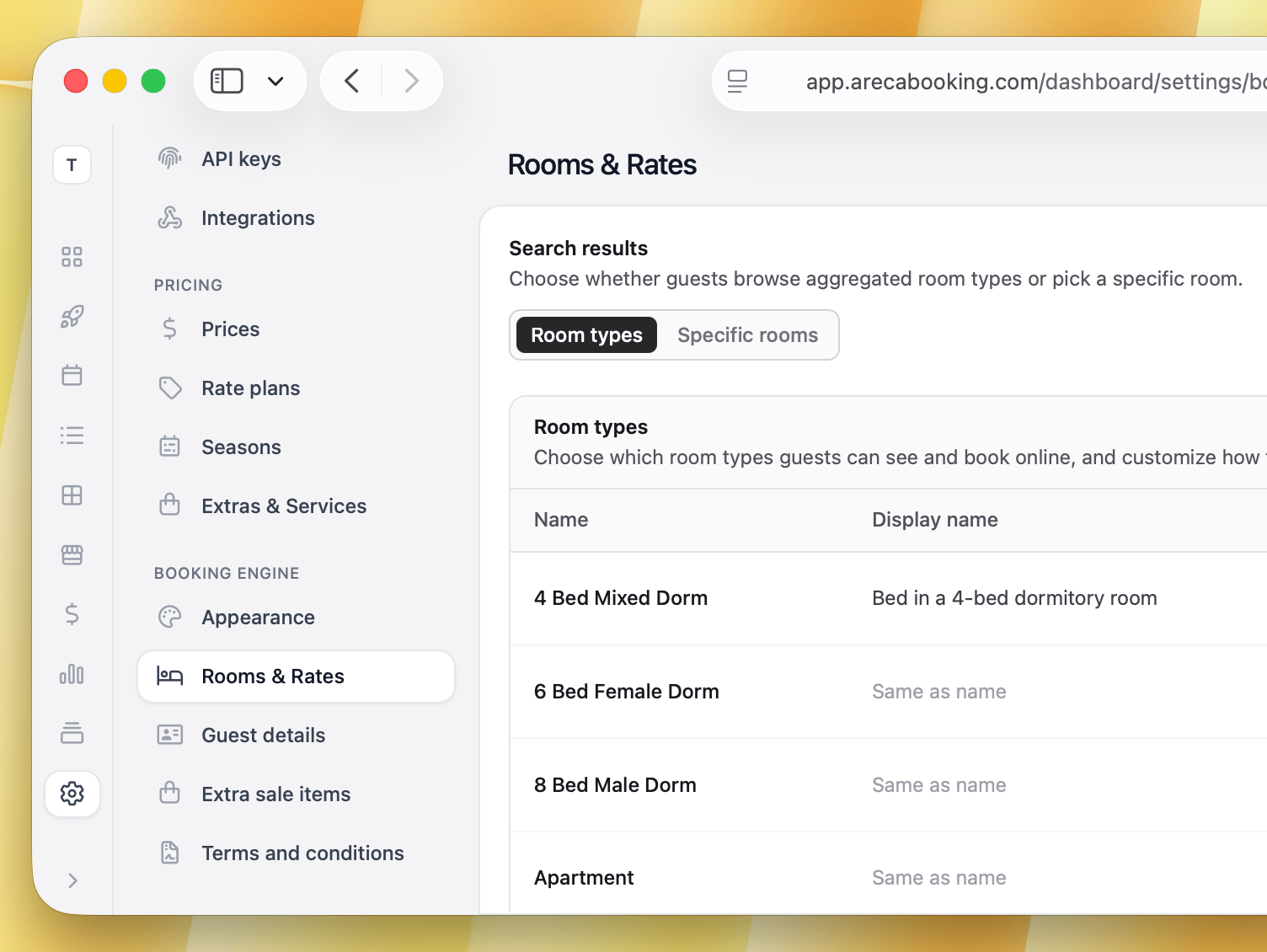
What Areca lets you choose is how the booking engine presents that same inventory to guests on your own website. This is a single setting for the whole property, not something you flip per room type. Either every room type shows as a pooled listing, Deluxe King, with the system assigning an actual room automatically, or every room type shows broken out into individual rooms, Room 204, The Garden View, each with its own photos and its own page.
What does change per room type is how you structure your inventory in the first place. A room type with several matching rooms behaves like a group either way, pooled into one listing or split into several depending on the property-wide setting. A room type with only one room in it has nothing to pool, so it always shows as itself, no matter which way the setting is flipped.
Room type vs individual room, side by side
| Feature | Per room type (standard) | Per physical room |
|---|---|---|
| Guest experience | Picks a category, e.g. Deluxe King. Specific room assigned at check-in. | Picks the exact room, e.g. Room 204, The Garden View. |
| Visual content | One photo set representing the whole category. | Room-specific photos, layout, and amenities. |
| Setup effort | Minimal, one listing per type. | Higher, content needed for every physical room. |
| What drives bookings | Speed, simplicity, clear pricing tiers. | Emotional pull, exact expectations, a reason to book direct instead of an OTA. |
Where per room type display fits
- Standard commercial hotels, 50+ rooms. Floors 2 through 8 share the same layout, furniture, and view. There's nothing for a guest to choose between.
- Business and transit hotels. Guests care about price, bed size, and a fast checkout, not which floor or which end of the corridor.
- Large serviced apartments. A high volume of identical 1 and 2-bedroom units where splitting them apart adds nothing a guest would notice.
Where per physical room display fits
- Historic and heritage properties. Converted manors or old city buildings where thick stone walls, sloped ceilings, or original fireplaces mean no two rooms share a layout.
- Boutique hotels with themed rooms. Every room has its own design concept, art, or colour scheme worth showing on its own.
- Resorts and villa complexes. Micro-location matters, a sunset-facing unit is a different product from a pool-access one, even at the same size and price.
- Glamping sites and eco-lodges. Cabins, treehouses, or domes scattered across a landscape, each with its own access, privacy, and view.
The tale of two properties
Metro Park Hotel: per room type
Metro Park is a modern 60-room city hotel with 3 room categories: Standard Double, Executive King, and Corner Suite. Showing all 60 rooms individually on the booking engine would mean scrolling past dozens of near-identical listings before finding a rate. A guest booking a quick Tuesday night stay wants price, bed size, and a confirmed booking inside a minute. Pooling by room type keeps that path short, and keeps conversion high for exactly the guest this hotel gets most of.
The Old Mill Inn: per physical room
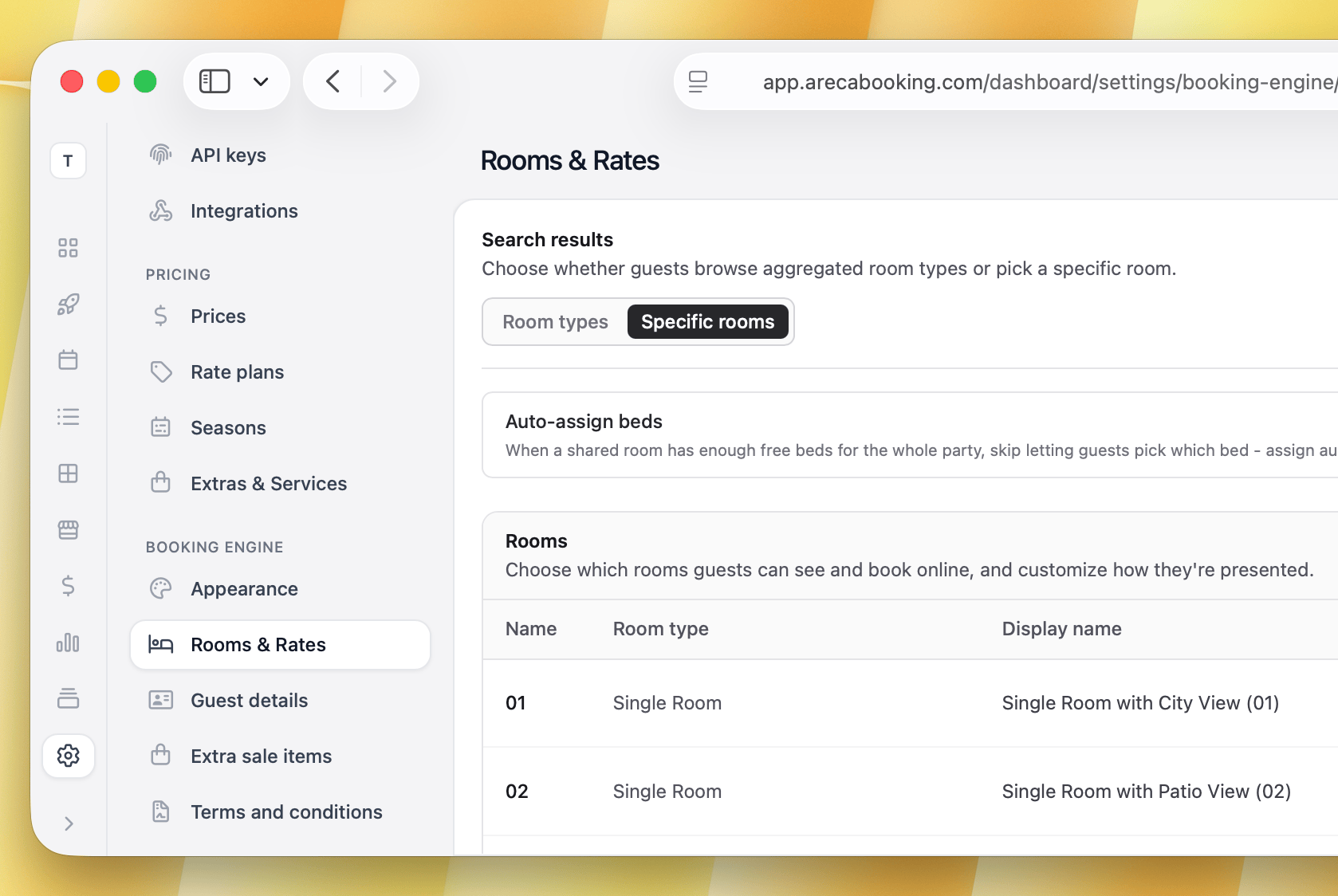
The Old Mill Inn is a 12-room boutique property converted from an 18th-century mill. On OTAs, all 12 rooms sit under one listing, Deluxe Double, to keep channel management simple, that part of the setup never changes. But the rooms themselves are nothing alike. Room 3 has a freestanding clawfoot bathtub by a bay window. Room 7 keeps its original exposed beams but has a smaller bathroom. Room 12 has a private balcony over the river.
If the Old Mill Inn's direct site only shows Deluxe Double, a guest has no reason to book there over Booking.com, the listing looks the same either way. Switching the booking engine to individual display gives direct bookers something the OTA listing doesn't: the ability to pick the exact bathtub, the exact beams, the exact view. That's a reason to book direct that costs the Inn nothing to set up beyond the photos it already needed to take.
One thing worth knowing: since all 12 rooms stay one room type in the PMS, they all carry the same rate even when shown individually, guests are choosing a room, not paying more for one. If the Inn later wants to charge more specifically for Room 3's bathtub, that room would need to become its own room type with its own rate, a separate step from the display setting covered here.
Hostels: the same setting, one level down
For hostels, the same property-wide setting still applies, but it plays out slightly differently since a dorm has both a room and multiple beds inside it.
On room type display, both the room and the bed get assigned automatically. A guest books a bed in a shared room and the system picks whichever room and bed is free, the same as a Standard Double being assigned an actual room at check-in.
On individual room display, the booking page lists the dorm rooms themselves, Dorm A, Dorm B, not one listing per bed, that would turn an 8-bed dorm into 8 near-identical listings for no reason. Instead, once a guest picks a dorm room, they get to choose a specific bed from the list inside it, bed 3, the bottom bunk by the window. The room is the listing. The bed is a choice made within it.
Bottom bunks near a plug socket and beds away from the door book out first in nearly every dorm, so this small extra step still matters to guests who care. If a hostel wants a specific bed to carry a different rate, not just a pick-list option, that bed would need its own bed-level room type, the same logic as the Old Mill Inn's bathtub room above. A dorm with truly interchangeable bunks is fine left on room type display either way.
Private rooms in the same hostel follow the same logic as Metro Park and the Old Mill Inn: group the matching ones, give the standout ones their own type. That bed-level detail is covered further in our guide on running a modern hostel.
What this doesn't change
Switching the booking engine display between room type and individual room does not touch your PMS structure or your OTA listings. Room types stay room types in the back office. Booking.com, Airbnb, and Expedia still receive availability and rates through your channel manager at the room type level, since that's the standard those platforms expect. Individual room display is a booking engine setting, a way to make your own website sell better than a copy of your OTA listing would, without changing anything about how the rest of your setup works.
If you're still deciding if your website needs this level of control at all, our overview of how a booking engine works is a good place to start before deciding how to configure it.
Learn more about Areca Booking Engine and its features.