Portugal
Properties in Portugal register foreign guests with AIMA through SIBA, send monthly guest numbers to INE and, in many municipalities, charge a tourist tax. Areca collects the guest details at check-in, prepares the SIBA file and gives you the INE numbers and the tax in reports.
SIBA
Properties in Portugal ask for every guest's name, nationality, date of birth, document and country of residence before check-in from the start. All required fields are marked in Guest fields.
Add your establishment details
Go to Settings > Integrations and open SIBA. Fill in the details your property is registered with:
- NIF: the 9 digits of your tax number.
- Establishment number: up to 4 digits, such as 00.
- Postal code: in the format 8365-181.
Name, Contact person, Address and Locality are optional. Left blank, Areca uses your property's name, address and city.
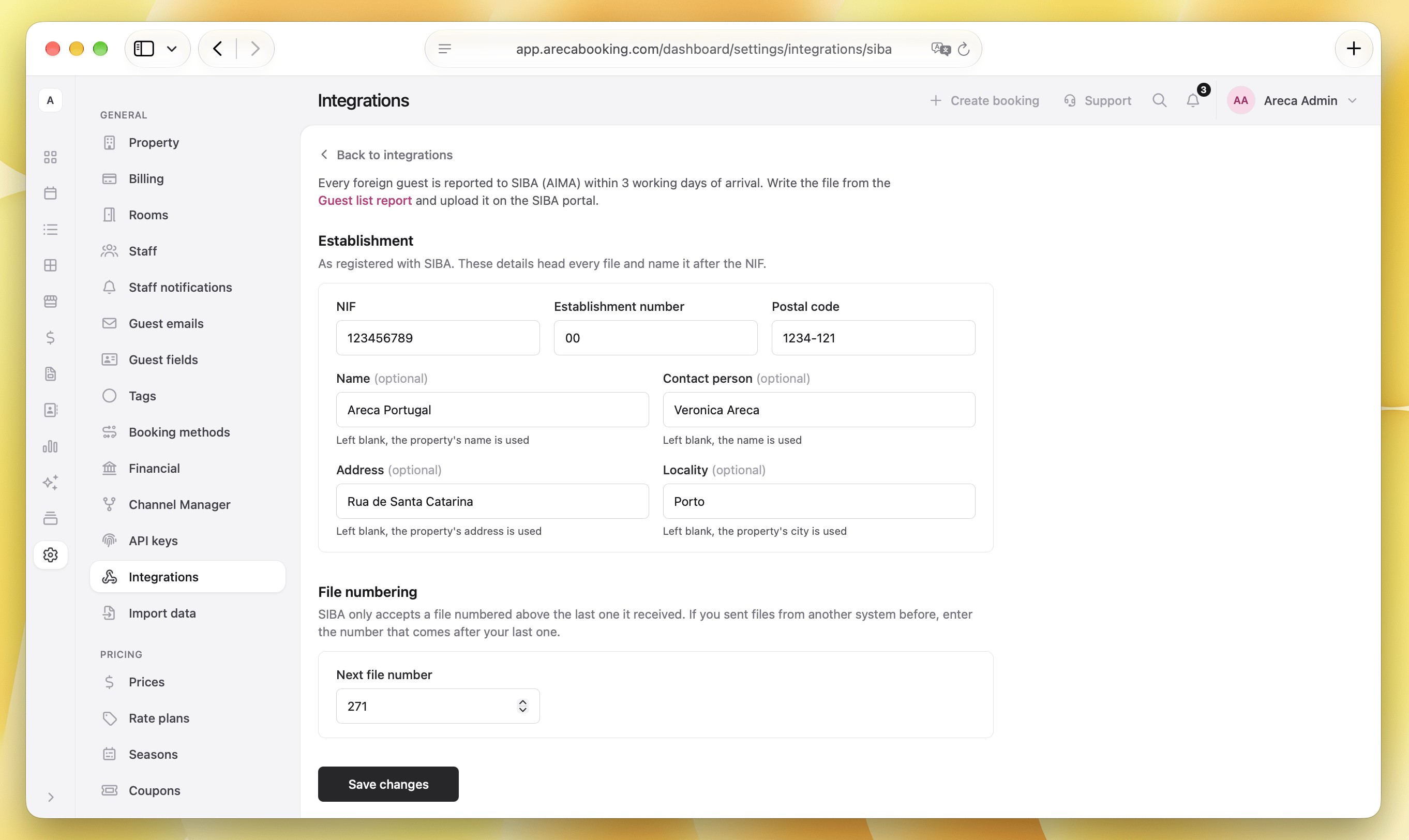
SIBA only accepts a file numbered above the last one it received. If you sent files from another system before, set Next file number to the number that comes after your last one.
Export the SIBA file
Go to Reports > Guest list and choose the dates. The list shows one row per guest, and the SIBA column tells you where each foreign guest stands:
- To report: ready for the next file.
- Missing data: some required details are still empty. Open the booking and fill them in.
- Not checked in: the guest has not arrived yet.
- Reported: already sent in an earlier file.
- Dates changed: the stay changed after it was reported, so the guest goes in the next file again.
- Not required: Portuguese guests, who are not reported.
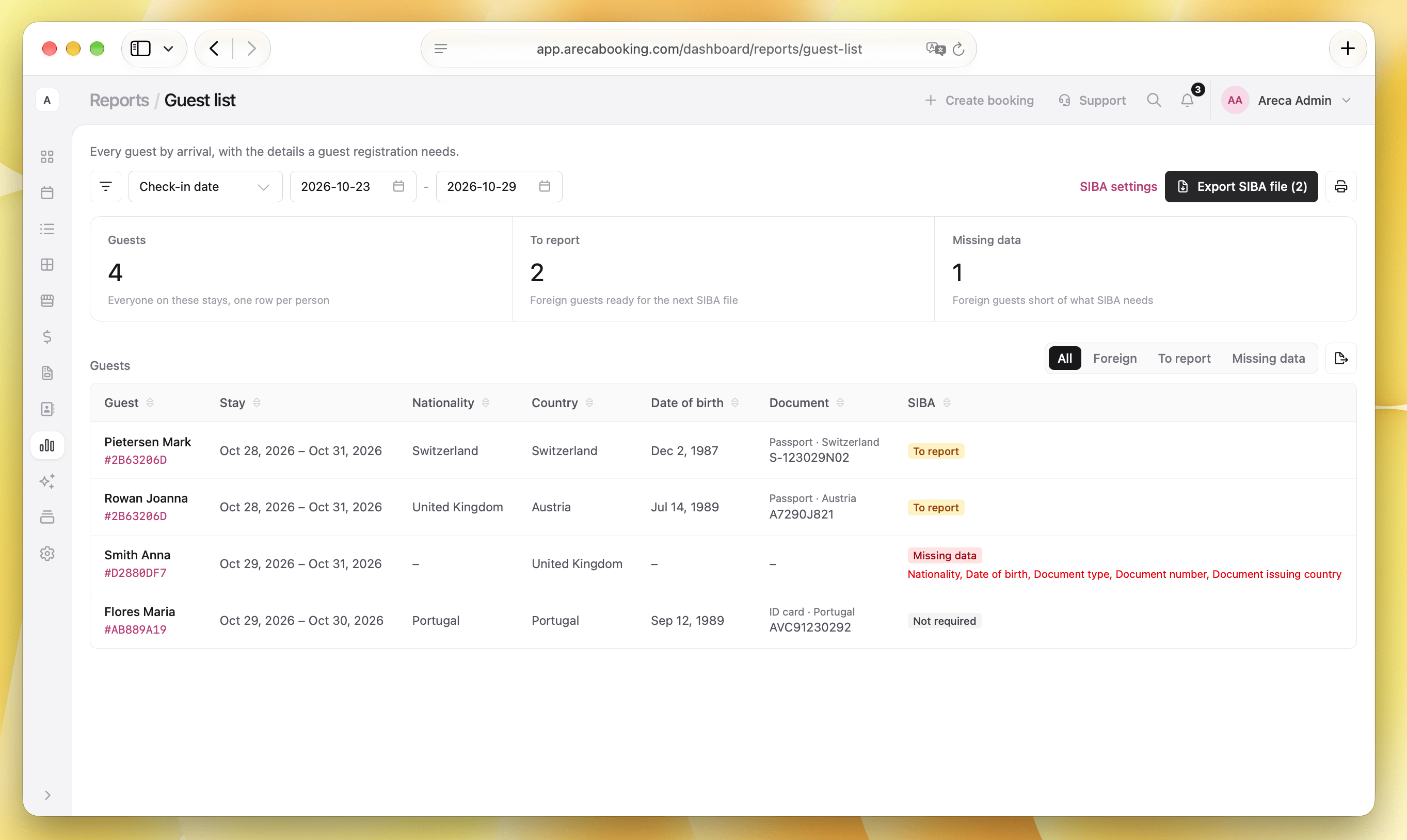
Use the All, Foreign, To report and Missing data tabs to see only the guests you need.
Click Export SIBA file to write the file with every guest marked To report. The file gets the next number and downloads to your computer. Upload it on the SIBA website.
For now you upload the file to SIBA yourself. Sending it automatically is coming soon.
Files you already exported
Every exported file is listed at the bottom of the SIBA settings.
- If SIBA refused a file, fix the guest's details in the booking and download the file again.
- If you exported a file by mistake and never uploaded it, choose Discard. Its number is given back and its guests go in the next file.
INE statistics
The numbers INE asks for are in Reports > Guest statistics. Choose the month to see:
- Guests: adults and children on the stays.
- Guest nights: only the nights inside the dates you chose.
- Guest register by country: guests and nights for each country of residence.
The same report also shows the city tax charged in that period.
The country of residence is required at check-in, so every guest is counted.
City tax
Many municipalities in Portugal charge a tourist tax (taxa turística), usually a fixed amount per person per night, for a limited number of nights, with children exempt. Set it up once in Settings > Financial > Taxes and it is added to every booking on its own.