Room types and rooms
Areca separates what you sell from where guests sleep:
- A room type is what guests book and what you price, for example "Double room with sea view" or "8-bed mixed dorm".
- A room is the physical room guests are assigned to, with its beds.
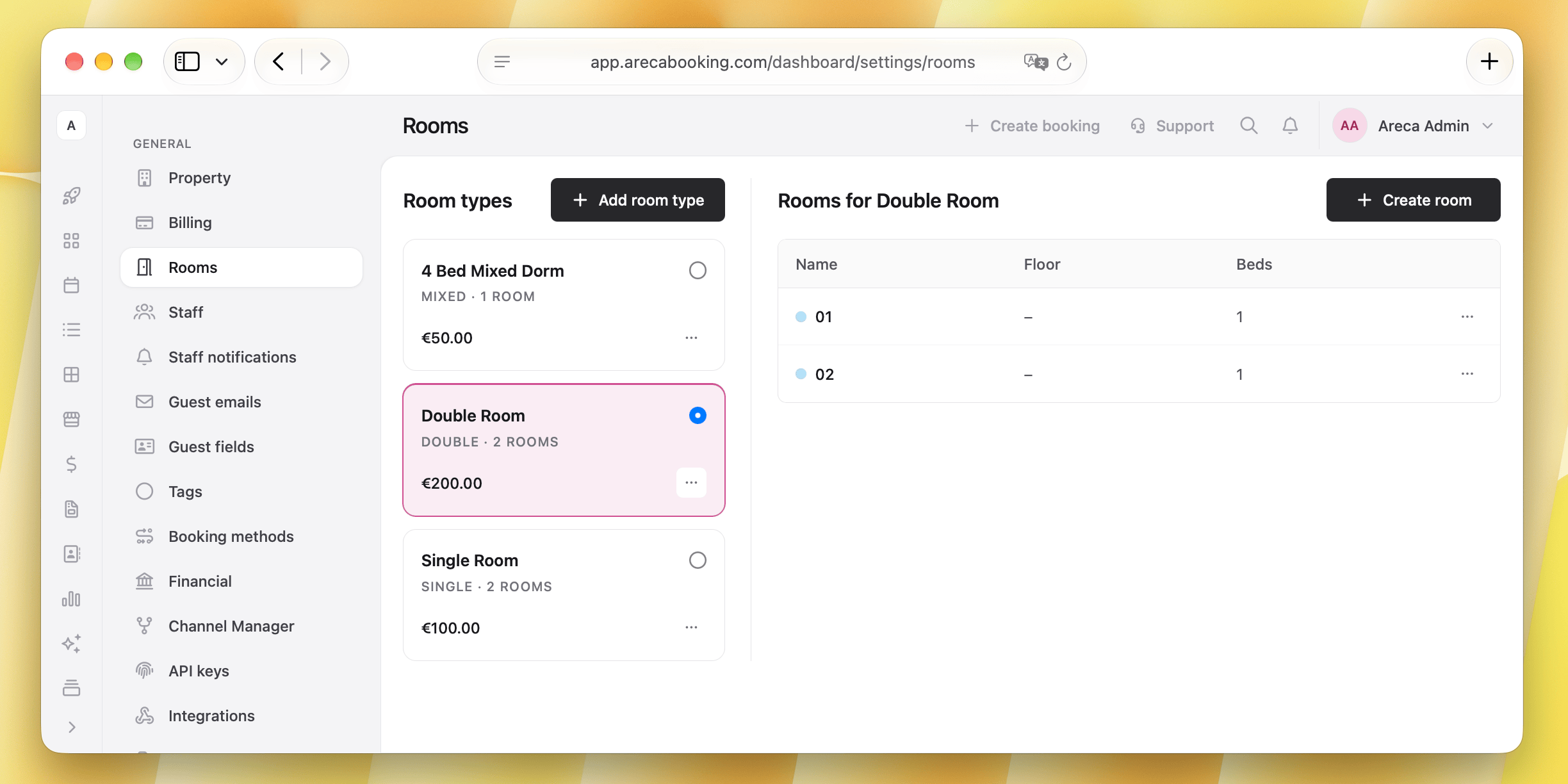
Both are managed in Settings > Rooms: room types on the left, the rooms of the selected type on the right.
Room types
Click Add room type and fill in:
- Name: the internal name for the room type.
- Room kind: Private for a room sold as a whole, Shared for a dorm sold per bed.
- Category: for example Double, Twin or Apartment for private rooms, Mixed, Female or Male for shared ones.
- Bathroom: ensuite or shared.
- Base price per night: the starting price, which you refine later with rate plans and seasons.
- Base occupancy (adults) and, if you allow children, Max children.
For shared rooms, base occupancy is usually 1, because each guest occupies one bed. Set max occupancy to the total number of beds in the room.
Rooms
Select a room type and add a room to it:
- Name, and optionally Floor, Area, Notes and a Color for the calendar.
- Beds: add each bed with its type (single, double, queen, king, bunk or sofa). Name them with numbers, letters or your own names.
Tips:
- Floor and note information are displayed in the Create booking modal, helping staff assign right rooms to guests.
- The color selected for the room appears in the calendar and inside the reservation, making it easier to identify at a glance.
Hybrid rooms
One room can be sold under more than one room type at the same time. For example, a room with four beds can be sold as a "Private quadruple" to a family and, bed by bed, as a "4-bed mixed dorm".
To set it up:
- Create both room types, for example a private one and a shared one.
- Add a room for one of the room types. Open the Edit room modal (click the room name).
- Under Room types, select every type the room belongs to.
- Save.
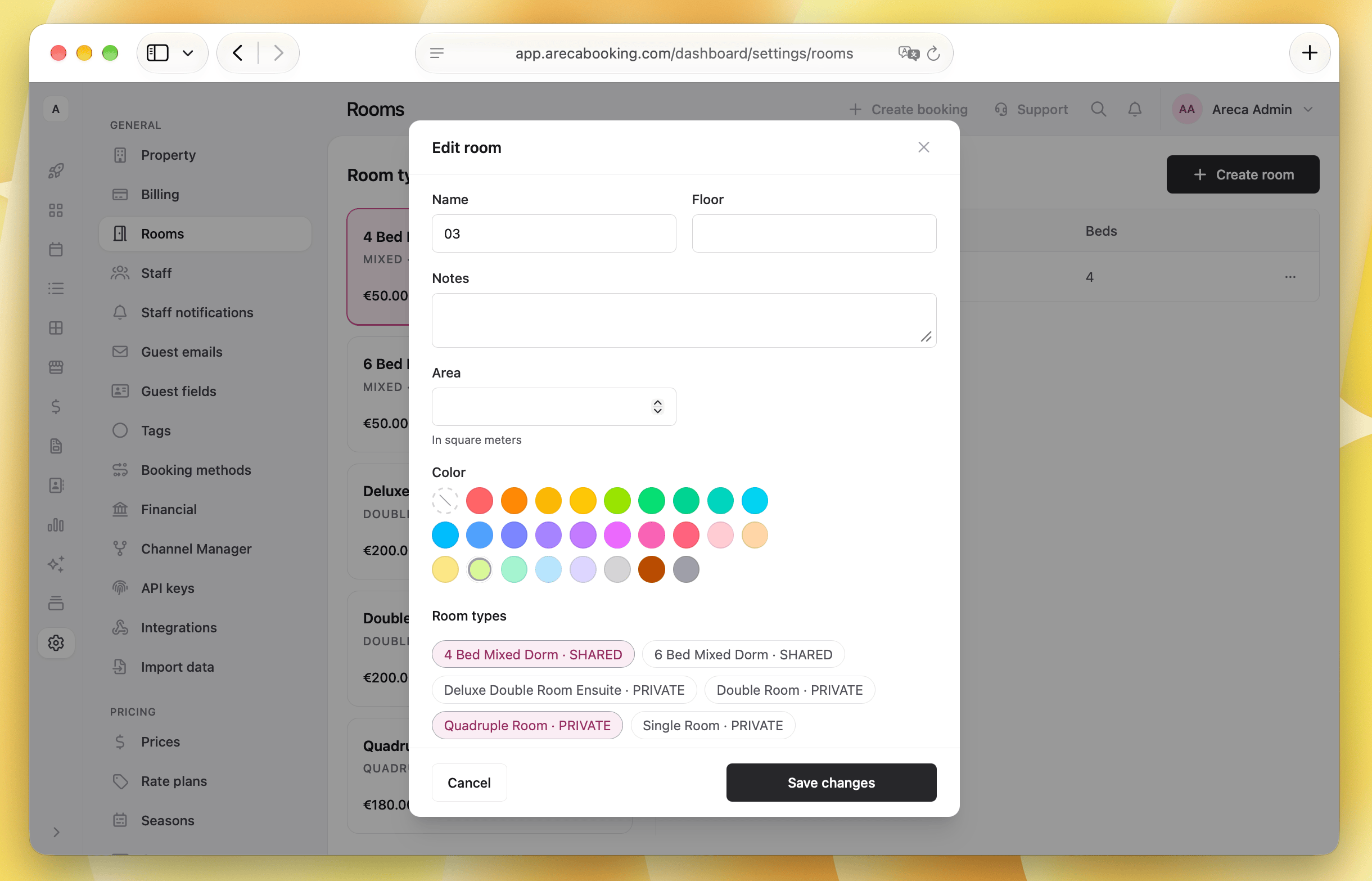
Areca counts availability across all the types of the room. When the whole room is booked as a private room, its beds are no longer for sale in the dorm. When one bed is sold in the dorm, the room can no longer be booked as a private room for those nights. The same applies on the booking engine and on connected channels.
Taking a room type or room off sale
Room types and rooms are never deleted, so past bookings and reports stay complete.
- Remove a room type to take it off sale. Rooms sold only under that type go out of service with it.
- Take a single room out of service the same way.
Removed items are listed under Removed room types and Removed rooms. Use Put back on sale or Put back in service to restore them, with their rooms, prices and bookings.